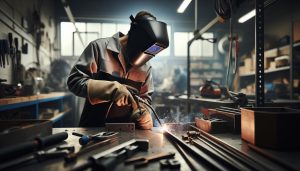
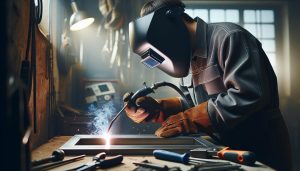
Programming a CNC plasma cutter opens the door to precision metal fabrication, allowing you to transform creative designs into tangible projects with ease. Whether you’re a hobbyist eager to craft intricate artwork or a professional aiming to enhance productivity, mastering this skill is vital. The setup and programming may appear daunting, but understanding the process will not only equip you with essential technical know-how but also elevate your capabilities, ensuring high-quality results. In this guide, we’ll demystify the programming of CNC plasma cutters, breaking down the steps for a seamless setup. With a focus on best practices and safety protocols, you’ll gain the confidence needed to tackle projects ranging from simple repairs to complex design work. Get ready to unlock the full potential of your CNC plasma cutter and turn your visions into reality.
Understanding CNC Plasma Cutters: A Beginner’s Overview
CNC plasma cutters represent a forefront technology in metal fabrication, offering unparalleled precision and efficiency for cutting various materials. At their core, these machines utilize a high-velocity jet of ionized gas-plasma-to melt and blow away material from the cutting surface. This method not only allows for intricate designs but also promotes rapid production, making CNC plasma cutting a favored choice in industries ranging from automotive to construction.
Understanding the basic components of a CNC plasma cutter is essential for anyone looking to effectively utilize this equipment. Key parts include the plasma torch, which generates the plasma arc; the CNC system itself, responsible for interpreting the design files and controlling the movement of the torch; and the table, which holds the material being cut and often includes features for managing workpiece support and debris collection. Additionally, the power supply is vital, as it determines the cutting speed and depth by adjusting the intensity of the plasma arc.
For beginners, familiarization with the operational principles of a CNC plasma cutter can significantly enhance the quality of the projects undertaken. By grasping how to set up the cutter correctly and understanding the importance of parameters like cutting speed, voltage, and gas flow, newcomers can ensure they achieve clean cuts and mitigate common issues like warping or excessive slag buildup. Moreover, getting acquainted with safety measures and operational guidelines is crucial; proper protective gear and safety practices not only protect the operator but also promote optimal working conditions.
Essential Components for CNC Plasma Cutter Setup
A successful CNC plasma cutter setup hinges on understanding and integrating various essential components. At the heart of this system lies the plasma torch, which is responsible for generating the plasma arc used for cutting through materials. This torch must be calibrated to ensure that it operates effectively; the height above the material, known as the standoff distance, is crucial for maintaining optimal cut quality. An improperly set standoff distance can lead to issues such as excessive slag buildup or incomplete cuts.
In addition to the plasma torch, the CNC control system is vital for effectively translating design files into precise movements. This system includes the software that processes the design (often in formats like DXF) and the hardware that drives the movement of the torch along the X, Y, and sometimes Z axes. Understanding the interface of the CNC system will enable users to set parameters such as cutting speed, feed rate, and acceleration, ensuring that the cutter responds accurately to the programmed instructions.
The power supply unit is another crucial element in the configuration. It must match the specifications of the plasma torch and be capable of delivering the required voltage and current. Users should pay careful attention to the specifications provided by the manufacturer, as this component directly impacts the cutting depth and speed. Choosing a power supply with adjustable settings allows for greater flexibility and adaptability depending on material thickness and type.
Lastly, the cutting table plays a significant role in supporting the workpiece during operation. It often includes features like water trays or slats to manage slag and debris. A well-designed table not only enhances the workflow but also contributes to the overall quality of the cuts by providing stability. When selecting or fabricating a cutting table, consideration should be given to ensure it can handle the weight and size of your intended materials while also facilitating proper airflow for effective cutting.
To summarize, setting up a CNC plasma cutter requires careful attention to these essential components: the plasma torch for generation of the cut, the CNC control system for precise movements, the power supply for adequate energy, and a robust cutting table for support. Each element works in concert to facilitate not just cutting, but achieving clean and efficient results throughout operation. Understanding these components empowers both beginners and seasoned operators to maximize their CNC plasma cutting experience.
Step-by-Step Guide to Initial Configuration
Setting up a CNC plasma cutter requires meticulous attention to detail to ensure optimal performance and safety during operation. The initial configuration process can be streamlined by following a sequence of structured steps, helping both beginners and experienced operators achieve precise cuts from the outset. Begin by gathering all essential components and tools, including the plasma cutter, torch, power supply, and a robust cutting table.
1. Assemble and Position Equipment
Ensure that all components are securely assembled according to the manufacturer’s specifications. Position the CNC plasma cutter in a well-ventilated area, free of obstructions. The cutting table should be stable and level to support various materials effectively. This setup will help in preventing inaccuracies during cutting.
2. Connect Power Supply
Next, connect the power supply unit to the plasma cutter. It is crucial to verify that the voltage and current ratings match the specifications required for your plasma torch. An inadequate power supply can lead to inconsistent performance or damage to the equipment. Always use a dedicated circuit to ensure stable operation.
3. Install the Plasma Torch
Carefully install the plasma torch by following the user manual instructions. Make sure it is firmly secured yet easily adjustable. Set the standoff distance-this is the height between the torch and the material surface. An ideal standoff distance is critical for achieving clean cuts and minimizing slag buildup.
4. Calibrate CNC System Settings
Power up the CNC control system and configure the software settings. This step usually involves selecting the appropriate cutting speed, feed rate, and other parameters according to the materials you will be cutting. Import design files in compatible formats (like DXF) and ensure that the paths are correctly defined. Use the simulation feature in your software, if available, to preview the cutting path before actual operation.
5. Perform Initial Tests
Before starting on actual projects, it is advisable to conduct test cuts on scrap material. This allows you to make adjustments to the parameters and calibrate settings as necessary. Pay close attention to the quality of the cuts; if there are issues, reevaluate the standoff, speed, and other parameters.
By following these steps, users can efficiently set up their CNC plasma cutters, paving the way for precise and high-quality cutting operations. Proper configuration not only boosts productivity but also enhances safety, ensuring that operators can work confidently and effectively.
Key Software and Tools for Effective Programming
Programming a CNC plasma cutter effectively requires an understanding of both the software tools available and the essential components that facilitate precise control of your projects. Choosing the right software and tools not only enhances the capabilities of your cutter but also impacts the overall efficiency of your workflow. There are several robust software options designed specifically for CNC plasma cutting that cater to both beginners and seasoned operators.
One of the most widely used software platforms in CNC plasma cutting is Mach3, which manages the relationship between the computer and the machine. It allows users to customize settings for various materials and cutting speeds, making it ideal for beginners and experts alike. For designers, software like AutoCAD or Fusion 360 offers advanced design capabilities, allowing users to create detailed vectors that can be exported in formats like DXF, which are compatible with cutting software. It’s crucial to ensure that all design files are optimized for plasma cutting to enhance the accuracy of the cuts.
In addition to the main software, having the right auxiliary tools can significantly improve your programming experience. CAD/CAM software packages streamline the process of creating tool paths, allowing users to visualize the cutting process before actual execution. Additionally, plasma nesting software further optimizes material usage by arranging parts to minimize waste. These types of tools enable users to generate efficient cutting patterns that save both time and material costs.
When programming a CNC plasma cutter, it’s pivotal to stay meticulous with settings such as cutting speed, feed rate, and pierce height. These parameters can usually be adjusted directly within your chosen software, and conducting test cuts on scrap material can help fine-tune these settings. Ultimately, the combination of robust software tools and a deep understanding of your project parameters leads to successful CNC plasma cutting operations, ensuring both quality and efficiency in every cut.
Post-Setup Checks: Ensuring Precision and Safety
Conducting thorough post-setup checks is crucial for ensuring that your CNC plasma cutter operates with precision and safety. After you have set up your machine and configured your software, taking the time to verify multiple aspects of the system can prevent costly errors and maintain a safe working environment. One key area to focus on is the calibration of the cutting parameters such as cutting speed, feed rate, and pierce height. A simple inconsistency can lead to subpar cuts or even equipment damage.
Before you start cutting, perform a detailed inspection of the physical setup. Ensure that the plasma torch is securely mounted and that all electrical connections are tight. Check that the torch height is correctly set according to the material being used; this can dramatically affect the quality of the cut. The workpiece should be adequately secured to prevent movement during the operation. It’s advisable to perform a dry run-running the program without power to the plasma cutter-to visualize the path and identify any potential collisions with fixtures or clamping devices.
Additional safety protocols should be carefully reviewed and reinforced. Ensure that personal protective equipment (PPE), such as safety goggles, gloves, and aprons, is worn at all times. Also, familiarize yourself with the emergency shut-off function of the machine, ensuring it’s easily accessible, should an unexpected situation arise. Maintain an organized workspace, as clutter can be a significant hazard during operation.
Furthermore, checking the software settings against the specifications of the materials you plan to cut is essential. Verify that the cutting parameters are optimized for the thickness and type of metal, as incorrect settings may result in excess dross or incomplete cuts. If your software has a nesting feature, review the generated layout to minimize waste while ensuring all parts can be cut efficiently.
By adhering to these meticulous checks, you ensure a safer working environment while enhancing the precision of your CNC plasma cutting operations. Whether you’re a beginner or an experienced welder, these practices will minimize risks associated with the powerful tools used in plasma cutting, ultimately leading to better results and smoother project execution.
Advanced Programming Techniques for Complex Cuts
Mastering advanced programming techniques for CNC plasma cutters is essential for achieving intricate and precise cuts, especially when working with complex designs. One of the key methodologies involves utilizing toolpath strategies that optimize cutting efficiency and accuracy. For instance, implementing lead-in and lead-out paths can significantly improve the quality of the cuts, particularly on intricate geometries. These paths enable the plasma torch to enter and exit the material smoothly, minimizing the risk of burn-through and leading to cleaner edges.
Another effective technique is to incorporate nesting software into your CNC programming process. Nesting optimizes material usage by arranging multiple parts within a single sheet of metal, reducing waste and cutting time. When programming, it’s important to analyze the layout and consider factors like grain direction and part orientation, as these can affect the final outcome. Effective nesting also involves balancing the cutting sequence to avoid unnecessary moves, thus enhancing the overall efficiency of the cutting process.
Additionally, advanced users often explore the use of dynamic motion parameters, allowing for customized cutting speeds and adjustable height settings throughout different sections of a cut. This level of control can dramatically enhance the quality of the finish, particularly when transitioning between different material thicknesses or types. By programming the plasma cutter to adjust settings on-the-fly, you can achieve vastly superior results, ensuring that the cut remains consistent and effective regardless of shifts in material properties.
Finally, simulation tools that visualize cutting paths before actual execution can greatly mitigate errors associated with complex programming. By running simulations, you can identify potential issues such as unexpected collisions or excessive wear on the cutting consumables, allowing for adjustments prior to cutting. This proactive approach not only saves time and materials but also fosters a safer work environment by preempting accidents that could arise from program errors.
Troubleshooting Common CNC Plasma Cutter Issues
Many users encounter common issues when operating CNC plasma cutters, but understanding how to troubleshoot these problems can save time and material, increasing overall productivity. One frequent problem is inconsistent cut quality, which can manifest as excessive dross formation or uneven edges. This issue often arises from incorrect settings, such as inappropriate cutting speed or height. To address this, ensure that the plasma torch height is correctly set and use the manufacturer’s recommended cutting speed for the material thickness being processed.
Another prevalent challenge is the buildup of plasma gas, which can lead to poor cutting and increased wear on consumables. Regularly check the gas supply lines for blockages or leaks. Consider maintaining a clean cutting surface; any contaminants can disrupt the flow of plasma gas, leading to erratic cuts. Moreover, ensure that the torch nozzle and electrode are in good condition. Worn components can significantly degrade performance, so replace them as necessary to maintain optimal cutting conditions.
Dealing with software errors is also part of effective troubleshooting. Firmware updates can resolve bugs and improve compatibility with newer operating systems. Ensure your CNC software is up to date and refer to the error codes displayed for guidance. Familiarizing yourself with the control software can help identify where programming might be amiss. Ensuring proper file formats and protocols between the CAD program and the CNC machine can also prevent these issues before they interfere with operations.
Finally, always prioritize safety by using personal protective equipment (PPE) and ensuring that all emergency shut-off features are functioning. Regular maintenance checks and adherence to operational guidelines further mitigate risks, creating a safer cutting environment. By systematically addressing these common issues, users can enhance reliability and efficiency, leading to better project outcomes and reduced operational disruptions.
Choosing the Right Materials for CNC Plasma Cutting
can significantly impact the quality and efficiency of your cuts. The most commonly used materials include various types of metals such as steel, aluminum, and stainless steel. Each material comes with its own set of characteristics that can influence the cutting process, performance, and end results. For instance, mild steel is typically easier to cut and offers a cost-effective solution for many projects, whereas aluminum requires different settings to account for its thermal conductivity and tendency to warp.
When selecting materials, consider the thickness you plan to cut. CNC plasma cutters are adept at handling a wide range of material thicknesses, but performance can vary. Thicker materials often require higher amperage settings and possibly slower cutting speeds to ensure clean cuts without excessive dross. For example:
- Mild Steel: Generally cut between 1/8″ to 1″ thick with high efficiency.
- Stainless Steel: Can be cut up to 1/2″ thick, but may require more precise settings due to its density.
- Aluminum: Best cut at a thickness of up to 1/4″, often needing adjustments in speed and height due to melting points.
Additionally, the surface condition of the material greatly influences the cutting outcome. Clean, rust-free surfaces yield optimal results, while contaminants like grease or oxide layers can negatively affect the cut quality. It is advisable to wipe down materials or use a conditioning agent if necessary before cutting. Understanding the specific properties of the materials you intend to work with will not only enhance your results but also reduce wear on your machine’s consumables, leading to lower operational costs.
Moreover, it’s essential to factor in the application of the finished product when choosing materials. For instance, if the cut piece will be exposed to outdoor elements, opting for materials with superior corrosion resistance, like stainless steel, might be beneficial. Always refer to manufacturer guidelines for cutting parameters tailored to your specific machine capability, ensuring safe operations and high-quality results. By systematically evaluating these aspects, you can enhance your CNC plasma cutting experience and achieve superior project outcomes.
Maintenance Tips for Longevity and Performance
Regular maintenance is paramount for ensuring the longevity and peak performance of CNC plasma cutters. With their intricate components and reliance on precise settings, neglecting maintenance can lead to diminished cutting quality, increased downtime, and costly repairs. One key aspect is to routinely inspect and clean the torch and its components, as built-up dross or slag can clog the nozzle and affect cut quality. It’s recommended to replace the electrodes and nozzles according to the manufacturer’s guidelines or when cuts start showing signs of inconsistency, such as excessive dross or a rough edge.
Another critical factor in maintaining a CNC plasma cutter is the air supply and filtration system. High-quality compressed air is essential; moisture or contaminants can lead to severe operational issues or inconsistent cuts. Ensure the air compressor has proper drainage mechanisms in place and regularly check the air filters. Also, maintaining the system’s hose connections free from kinks or damages will support optimal airflow and pressure, enhancing cutting efficiency.
Additionally, regular lubrication of mechanical components such as the gantry and rails is vital. This reduces friction, prevents wear, and ensures the mechanical parts operate smoothly. Use manufacturer-recommended lubrication products to ensure compatibility and effectiveness. Lastly, developing a maintenance schedule that includes daily checks, weekly inspections, and periodic comprehensive overhauls will help catch potential issues early and keep your CNC plasma cutter in top condition for years to come.
By implementing these maintenance practices, operators can not only improve cut quality and machine reliability but also extend the overall lifespan of their plasma cutting equipment, making it a worthwhile investment in precision cutting.
Safety Protocols in CNC Plasma Cutting Operations
When operating CNC plasma cutters, safety should be the foremost concern for anyone involved in metal fabrication. The intense heat generated during the plasma cutting process can create hazardous conditions not only for the operator but also for others in the vicinity. Implementing stringent safety protocols is essential to prevent accidents and injuries.
Before beginning any cutting operation, it is critical to wear appropriate personal protective equipment (PPE). This includes flame-resistant clothing, heavy-duty gloves, and a full-face helmet with a proper filter lens to protect against harmful UV and infrared radiation. Additionally, operators should ensure that the workspace is free of flammable materials and that fire extinguishing equipment is accessible and functional. Securing the work area with warning signs and barriers helps to keep unauthorized personnel at a safe distance.
Furthermore, before initiating any plasma cutting activity, a thorough inspection of the equipment is necessary. This includes checking the power supply, hoses, and connections for leaks or wear. Ensuring that the air supply is clean and at the correct pressure is also vital, as moisture in the air can lead to inconsistent cuts and increase the risk of electrical shorts. Operators should be trained in emergency shut-off procedures and regularly review safety protocols to maintain a culture of safety.
Proper Operation Techniques
Utilizing proper operating techniques is another crucial aspect of safety during plasma cutting. Operators should maintain a steady hand and be mindful of their surroundings while cutting. This involves maintaining a safe distance from other workers and being aware of sparks and flying debris that can occur during the process. Placing the material securely on the cutting table will prevent any movement that could lead to accidents.
Incorporating these safety measures not only protects individuals but also enhances overall efficiency in the workshop. By fostering a safety-first mindset, operators can decrease the likelihood of accidents and ensure a smoother operation, allowing for better focus on programming and producing high-quality cuts without unnecessary interruptions.
Enhancing Your Skills: Resources and Training Options
To master the art of programming CNC plasma cutters and enhance your overall skills, a wealth of resources and training options are at your disposal. Engaging in continuous learning not only refines your existing knowledge but also positions you to tackle complex cutting tasks with confidence and precision. Consider exploring the following avenues:
- Online Courses and Webinars: Platforms like Coursera and Udemy offer specialized courses focusing on CNC programming and plasma cutting techniques. These resources provide structured learning paths, enabling you to understand both the theoretical and practical aspects of CNC operation.
- Manufacturer Training Programs: Many plasma cutter manufacturers provide training sessions or workshops. Participating in these can give you insights into specific machine capabilities and how to best utilize them for efficient operation.
- Community Colleges and Technical Schools: Enroll in local courses that teach hands-on CNC skills. These programs often include lab sessions, allowing real-time practice under professional guidance, enhancing both confidence and competence.
- YouTube and Online Forums: Channels dedicated to metalworking often feature tutorials on programming CNC machines. Additionally, online forums such as CNC Zone can be great for asking specific questions and connecting with more experienced operators.
- Books and Publications: Reading industry-related books, magazines, and trade publications can provide in-depth knowledge on advanced programming techniques, best practices, and emerging technologies in CNC plasma cutting.
Refining your programming skills also involves practical application and experimentation. Setup your projects in a controlled environment, adjusting parameters to see real-time outcomes. Keep a journal of your experiences to identify patterns, mistakes, and improvements. Regular maintenance of your machinery, along with familiarizing yourself with the latest software advancements, prepares you for a variety of cutting challenges.
Investing time and efforts in enhancing your skill set pays off in improved efficiency and quality, making you a valuable asset in any metal fabrication environment. Embrace these resources and stay updated in the fast-evolving world of CNC technology to unlock new opportunities in your career.
Real-World Applications: CNC Plasma Cutter Projects
CNC plasma cutters have revolutionized the metal fabrication industry, enabling artisans and manufacturers to undertake intricate projects with speed and precision. From large industrial applications in automotive manufacturing to personalized sculptures for artistic endeavors, the versatility of CNC plasma cutting projects is virtually limitless. For beginners and seasoned professionals alike, understanding real-world applications can inspire creativity and innovation in their cutting tasks.
Fabrication of Custom Parts
Many custom fabrication projects center around creating bespoke components for machinery or equipment. For example, a maritime engineering company may need custom brackets or mounts for boats. Using a CNC plasma cutter, these parts can be accurately cut from metal sheets based on precise specifications. This capability not only enhances the production speed but also ensures that parts fit perfectly without the need for extensive rework, thus saving both time and material costs.
Artistic Metalwork and Signage
Artists and designers increasingly utilize CNC plasma cutters to create intricate metal art pieces and customized signage. The ability to design complex shapes in software and translate them directly into cut metal allows creators to produce unique pieces that would be difficult or impossible to replicate manually. For example, a local business might commission a uniquely designed sign that reflects their brand identity. CNC plasma cutting makes it possible to achieve high detail in materials like steel or aluminum, resulting in eye-catching designs that can withstand the outdoor elements.
Automotive and Aerospace Applications
In the automotive and aerospace industries, precision and weight reduction are critical. CNC plasma cutters are ideal for making lightweight yet strong components from various metals, including aluminum and stainless steel. Applications include cutting out intricate parts such as chassis brackets, control arms, and other structural components that adhere to stringent weight and strength specifications. The technology contributes not only to performance efficiency but also to improving overall safety standards in these industries.
Prototype Development
CNC plasma cutting is invaluable in rapid prototyping. When developing new products, companies often require quick turnarounds for preliminary models. The efficiency of CNC plasma cutters allows for the quick fabrication of prototypes, enabling teams to iterate designs faster and reduce time-to-market for new innovations. This capability is particularly beneficial in industries like consumer electronics or home appliances, where design tweaks may be frequent based on testing and feedback.
By exploring these real-world applications, users can appreciate the extensive utility of CNC plasma cutters across various sectors. Emphasizing safety and maintenance in these projects ensures sustainable and successful outcomes. Whether enhancing machine efficiency or creating stunning art, the proper application of CNC plasma cutting technology can elevate any project to new heights.
Frequently asked questions
Q: What is the first step to setting up a CNC plasma cutter?
A: The first step in setting up a CNC plasma cutter is to ensure a proper workspace. This includes a stable surface, adequate ventilation, and safety equipment. Follow your specific equipment manual for any hardware connections and ensure all electrical components are correctly installed.
Q: How do you choose the right software for programming a CNC plasma cutter?
A: Choose software that is compatible with your CNC plasma cutter’s hardware. Look for features like ease of use, support for various file types, and simulation capabilities. Popular options include SheetCam and Mach3, which are known for efficiency in plasma cutting applications.
Q: What safety precautions should I take when operating a CNC plasma cutter?
A: Always wear protective gear, including safety glasses, gloves, and flame-resistant clothing. Ensure the workspace is free of flammable materials and maintain a proper distance from the cutting area. Familiarize yourself with emergency shutdown procedures and ensure good ventilation.
Q: How can I troubleshoot common issues with a CNC plasma cutter?
A: Common troubleshooting steps include checking for loose connections, ensuring the correct settings for amperage and speed, and inspecting the consumables for wear. Refer to the troubleshooting section of your user manual for specific guidance on your machine’s issues.
Q: What materials work best with CNC plasma cutting?
A: CNC plasma cutting is ideal for metals, particularly mild steel, stainless steel, and aluminum. It’s important to select the right thickness based on your cutter’s specifications to achieve optimal performance and finish quality.
Q: How do you calibrate a CNC plasma cutter after setup?
A: Calibrate your CNC plasma cutter by running a test cut on scrap material. Adjust parameters like height, speed, and power output based on the results. Refer to your manual for guidelines on aligning the torch and testing accuracy.
Q: When is it necessary to replace the consumables on a CNC plasma cutter?
A: Replace consumables such as electrodes and nozzles when you notice reduced cut quality, increased dross, or inconsistent cutting speeds. Regular inspection after a set usage can help you maintain optimal performance.
Q: What advanced techniques can enhance cuts with a CNC plasma cutter?
A: Advanced techniques include optimizing cutting speed and amperage for different materials, using advanced nesting software for material efficiency, and implementing lead-ins and lead-outs in your designs to improve the finish of edges.
Insights and Conclusions
Congratulations on taking the next step toward mastering your CNC plasma cutter! By now, you’ve learned essential programming techniques that empower you to craft precise and intricate designs with ease. Remember, practice is key to refining your skills. For more advanced tips and troubleshooting guides, check out our detailed articles on MIG welding techniques and equipment reviews.
Don’t let questions hold you back-engage with our community in the comments below or share your experiences with your projects. We’re here to support you every step of the way. As you continue your journey, subscribe to our newsletter for the latest insights and exclusive offers.
Ready to dive deeper? Explore our resource sections on safety protocols and career guidance in welding, and turn your passion into expertise. The future of your projects starts now-take action today and unleash the full potential of your CNC plasma cutter!