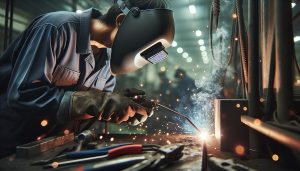
Mastering how to program a CNC plasma cutter can significantly elevate your metalworking projects, transforming intricate designs into precise cuts with remarkable efficiency. Whether you’re a beginner eager to explore the world of CNC technology or an experienced welder looking to refine your skills, understanding the programming process is crucial. Programming a CNC plasma cutter not only enhances creativity but also increases production efficiency and accuracy, key factors in today’s competitive landscape. By learning the step-by-step instructions to harness this powerful tool, you unlock the potential to create stunning, customized pieces from materials like steel and aluminum. Dive into the following guide to demystify the programming process, ensuring you achieve professional-quality results while prioritizing safety and effectiveness. Your journey to becoming a proficient CNC plasma cutter operator starts here.
Understanding CNC Plasma Cutters: Basics You Need to Know

CNC plasma cutters are revolutionizing industries by providing an efficient and precise method for metal cutting. Utilizing high-temperature plasma to melt and cut through materials, these machines can easily handle conductive metals like steel, aluminum, and copper, making them invaluable in fabrication shops and manufacturing environments. Understanding the basics of CNC plasma cutting not only helps in selecting the right machine but also enhances operational safety and product quality.
At the core of a CNC plasma cutter’s operation is its ability to control the movement of the cutting torch with extreme accuracy. This is achieved through numerical control (CNC) programming, which utilizes computer-assisted design (CAD) software to prepare detailed cutting plans. By inputting design files into the CNC system, operators can produce parts with complex shapes and tolerances that would be challenging to achieve with traditional cutting methods. Familiarity with the machine’s components, such as the plasma torch, work surface, and cooling systems, is essential for troubleshooting and ensuring optimal performance.
In addition to operational knowledge, safety is paramount in any cutting environment. Proper safety protocols, including the use of appropriate personal protective equipment (PPE) and understanding the risks associated with plasma cutting, can prevent workplace accidents. Operators should be trained to recognize hazards, such as exposure to intense brightness, hot metal debris, and potential electrical shocks. By prioritizing safety and ensuring a thorough understanding of the equipment capabilities, users can maximize their efficiency while minimizing risks.
In summary, the effective use of CNC plasma cutters is rooted in a combination of technical understanding, software proficiency, and a strong commitment to safety. As industries increasingly adopt this technology for their cutting needs, mastering these fundamentals will set operators apart in a competitive landscape, enabling precise fabrication and innovative manufacturing solutions.
Essential Tools and Software for Programming

In the realm of CNC plasma cutting, having the right tools and software is crucial for achieving precision and efficiency in your projects. Whether you’re a seasoned fabricator or just starting, learning to navigate these essential resources will empower you to maximize the capabilities of your CNC plasma cutter. The foundation of any successful plasma cutting operation lies in the software that translates design concepts into detailed cutting instructions.
A robust CAD (Computer-Aided Design) software is indispensable for creating intricate designs suitable for plasma cutting. Popular CAD programs like AutoCAD, SolidWorks, and Fusion 360 allow users to draft 2D and 3D models with precision. These designs can then be exported as DXF files, a common format recognized by CNC programming software, ensuring seamless integration between design and cutting operations. Additionally, many CAD programs offer simulation features that allow users to visualize the cutting process, aiding in the identification and correction of potential issues before the actual cutting begins.
Once your design is complete, the next step involves utilizing CAM (Computer-Aided Manufacturing) software, which can generate the G-code necessary for operating the CNC plasma cutter. Programs like SheetCAM or FastCAM are specifically tailored for plasma cutting, providing functionality such as optimizing cutting paths and minimizing material waste. Moreover, these CAM tools often include settings that allow operators to adjust parameters such as feed rate and torch height, which are critical for achieving high-quality cuts.
To enhance ease of use and to integrate seamlessly into a production workflow, consider adopting Post-Processing Software. This software converts the CAM-generated tool paths into G-code that is machine-specific, ensuring that your CNC plasma cutter interprets the cutting instructions accurately. Some popular post-processor solutions include Mach3 and LinuxCNC, both of which facilitate user-friendly communication between the programming software and the CNC machine.
Implementing a cohesive toolkit that combines effective CAD, CAM, and post-processing software not only streamlines the programming of your CNC plasma cutter but also allows for greater creativity and technical prowess in metalworking projects. As you become adept at these tools, you’ll gain the confidence to tackle more complex designs and improve your overall productivity in the workshop.
Step-by-Step Guide to Setting Up Your CNC Plasma Cutter
Setting up a CNC plasma cutter correctly is essential for achieving precision cuts and maximizing production efficiency. The process begins with selecting a suitable workspace that offers ample ventilation and sufficient power supply, ideally equipped with a dedicated circuit for your cutter. Safety should always be a priority; ensure that the area is free of flammable materials, and have a fire extinguisher nearby.
Start by assembling the plasma cutter according to the manufacturer’s instructions. This typically involves connecting the power supply, ground clamp, and gas line if you are using a gas-assisted system. Once everything is connected, double-check connections to prevent leaks or electrical issues. After assembly, power on the machine and perform a test run to ensure all components function properly. It’s critical to familiarize yourself with the control panel, where you can set your cutting parameters such as voltage and amperage based on the material thickness.
Calibration is the next vital step. This involves adjusting the torch height to ensure the plasma arc maintains the correct distance from the workpiece. A common technique is to use a piece of scrap metal to strike test cuts, adjusting the height until you achieve a clean, consistent cut. Take the time to also verify that the motion system operates smoothly by moving the gantry and checking for any obstructions or misalignment.
Once calibrations are complete, you can load your design files into the CNC software. Ensure that the cutting paths are optimized to minimize waste and that you double-check the settings to match the materials being cut. Before starting a full job, conduct a dry run to verify that the cutter follows the intended path without engaging the plasma. This precaution helps detect potential issues without wasting material or risking equipment damage. Finally, once all settings are fine-tuned and tested, you are ready to begin your cutting project.
Creating Effective Design Files for Plasma Cutting
Creating well-structured design files is crucial for efficient and accurate plasma cutting, serving as the blueprint for your CNC plasma cutter’s operations. The effectiveness of your final cut often hinges on the quality of these design files, which need to balance precision and practicality for the specific tasks at hand. A mistake in this phase can lead to wasted materials, decreased productivity, and subpar cutting results; hence, understanding the components of effective design files is integral for both beginners and seasoned professionals.
A strong starting point is to utilize vector graphics software such as Adobe Illustrator or CorelDRAW, which facilitates the creation of precise designs in formats compatible with CNC cutting machines. When designing your file, ensure that all paths are closed; open paths can result in incomplete cuts and misalignment. Additionally, organizing the layers meaningfully can enhance workflow during both design and execution phases. For instance, grouping elements by cut order or material type simplifies the programming process and allows the operator to adjust settings quickly, depending on the task specifics.
Consider including cutting parameters directly within your design file when applicable, such as feed rates and power settings aligned with material thickness. This proactive approach allows you or your operators to maintain optimal settings throughout the cutting process without needing excessive adjustments mid-job. Moreover, be mindful of the kerf width (the amount of material removed during cutting) by incorporating this into your design, especially for intricate shapes that require tight tolerances.
Finally, engage in thorough testing prior to full production runs. Running a few initial cuts on scrap materials can help catch any errors or discrepancies between the design and the physical output. Adjust the design file accordingly based on these test results, which will not only enhance the fidelity of your cuts but also boost overall efficiency on the shop floor. Time spent refining design files here pays dividends in executing projects smoothly and effectively, ensuring that each plasma cutting operation aligns perfectly with the intended outcome.
Interpreting CNC Plasma Cutter G-Code
Understanding G-code is crucial for effectively operating a CNC plasma cutter, as this language allows users to communicate precise instructions to the machine. G-code, or “Geometric Code,” is a series of commands and coordinates that dictate the cutter’s movements, speed, and operations. When properly interpreted, G-code transforms design files into actionable tasks, ensuring that the cutter executes cuts with the necessary detail and accuracy.
Each line of G-code begins with a specific command, such as G0 for rapid positioning or G1 for linear movements at a controlled feed rate. Understanding these commands is essential for programming. For example, the G1 X10 Y20 F500 command instructs the cutter to move to the coordinates (10, 20) while cutting at a feed rate of 500 mm/min. This intricate control allows the operator to optimize cutting speeds and adjust based on the material being processed.
In addition to movement commands, G-code often includes parameters that adjust the plasma cutter’s performance, such as power settings and operational modes. Including these parameters in your programming allows for real-time adaptations to different materials. For instance, the command M3 S1000 might indicate the plasma torch should operate at 1000 units of power, a critical detail when working with varying thicknesses of metal.
Finally, testing and validating the G-code before a full production run cannot be overstated. Operators should utilize simulation software when available, which can visualize the cutter’s movements based on the G-code, highlighting potential issues before the actual cutting process. This approach not only reduces material wastage but also enhances safety by preventing mechanical failures caused by erroneous commands. By mastering G-code, operators can unlock the full potential of their CNC plasma cutters, leading to efficient production and high-quality results.
Tips for Fine-Tuning Your Plasma Cutting Settings
To achieve optimal results with your CNC plasma cutter, fine-tuning the settings is essential for both precision and efficiency. Every material reacts differently to the plasma cutting process, making it crucial to adjust parameters like cutting speed, power levels, and gas flow. A small change in these settings can significantly impact the quality of the cut, edge finish, and the amount of waste produced.
Start with adjusting the amperage settings according to the thickness of the material you’re working with. For instance, if cutting 1/4-inch mild steel, a range of 40 to 50 amps is usually a good start, but it’s wise to refer to the manufacturer’s specifications as well. Excessive amperage can lead to dross accumulation, while insufficient power might result in incomplete cuts. To maintain a balanced approach, consider performing test cuts on scrap pieces of the same material to find the sweet spot for your specific setup.
Additionally, the cutting speed is another vital aspect to consider. A faster cutting speed reduces heat input, which can minimize warping but may sacrifice cut quality if set too high. Conversely, cutting too slowly can lead to excessive heat, causing rough edges and potential damage to the material. A methodical approach involves gradually adjusting your cutting speed in small increments while monitoring the quality of the cut and any changes in dross formation.
Proper gas flow settings play an equally important role in fine-tuning your plasma cutter. Ensuring the correct gas pressure can help achieve a more stable arc. Typically, the gas flow should be set according to the recommendations for your plasma cutter and the type of gas you’re using, whether it’s air or an alternative like nitrogen. Adjusting the flow during operation can also help combat issues such as blowing the molten metal away, resulting in a more efficient cut.
Always remember to consider the torch height as well. Maintaining an optimal standoff distance between the torch and the workpiece is crucial for achieving clean edges and minimal dross. Using a height control system can automate this process, but manual adjustment can also yield effective results if consistently monitored.
By paying close attention to these factors and making continuous adjustments based on feedback from your cutting operations, you can fine-tune your plasma cutting settings for superior quality, efficiency, and material management.
Common Programming Challenges and Solutions
Programming a CNC plasma cutter can often present various challenges, especially for those new to the technology. One prevalent issue is dealing with G-code syntax errors. G-code is the language that communicates with the plasma cutter, and even minor mistakes in code can lead to significant operational errors. A common solution involves using G-code simulation software that allows you to run your programs virtually before executing them on the machine. This preemptive check can help identify and rectify errors, ensuring that your cutter operates smoothly and efficiently.
Another frequent challenge is the inconsistent quality of cuts, which can often be traced back to improperly programmed settings. Factors such as cutting speed and amperage must be meticulously defined in the programming phase. For instance, programming the cutter with a speed that is too high for the material thickness can result in poor cut quality and increased dross. To tackle this, users should create a material database that outlines optimal settings for various thicknesses and materials, which can then serve as a reference during the programming process.
Material distortion and warping can also present issues during cutting, typically resulting from excessive heat input when programming. The solution is to adjust the cutting parameters dynamically, employing a combination of speed adjustments and multi-pass cutting strategies to reduce heat buildup. Additionally, you should consider implementing offset settings for your torch height to maintain consistent standoff distances from the material, further promoting quality integrity.
Lastly, operators may encounter difficulty with dross accumulation on the cut edges, often caused by improper gas flow settings or incorrect cutting speeds. This issue can usually be improved by revisiting and adjusting the torch’s parameters in the G-code. Keeping an eye on the gas type and flow rate as per the manufacturer’s recommendations is crucial. Regular monitoring and adjustment during test operations can help identify the precise balance needed for optimal results, ultimately streamlining productions and reducing time spent on cleanup.
By systematically addressing these programming challenges with proactive measures and thorough preparation, operators can enhance both functionality and output quality of their CNC plasma cutting operations.
Safety Protocols for Operating CNC Plasma Cutters
Operating CNC plasma cutters involves exposure to various risks, including intense heat, flying sparks, and electromagnetic fields. Ensuring safety is paramount not only for the operator but also for everyone in the vicinity. One of the most critical safety protocols begins with the use of appropriate personal protective equipment (PPE). This includes safety goggles resistant to high temperatures, ear protection to shield against noise, flame-resistant clothing, and gloves designed for thermal protection. It is also advisable to wear steel-toed boots to prevent injuries from falling objects and cut debris.
Before starting any cutting operation, a thorough inspection of the CNC plasma cutter is essential. Check for any gas leaks by using a gas leak detector or soapy water on fittings. Verify that all cables and connections are intact and that the cutting chamber is free from any flammable materials. This preventive measure can significantly reduce the risk of accidental fires. Additionally, ensure the workspace is well-ventilated to disperse harmful fumes generated during cutting processes. This is particularly important when cutting materials like steel, which may emit hazardous gases when heated.
Creating a safe operational zone is equally important. Establish clear safety perimeters to keep unauthorized personnel at a safe distance from the cutting area. Use barriers or cones to delineate these zones and ensure that all operators and assistants are trained on emergency shutdown procedures. Incorporate regular safety drills to prepare for potential emergencies, such as fires or equipment malfunctions. Ensure that fire extinguishers are accessible and that operators know their proper use.
Finally, maintaining equipment is critical for safe operation. Regularly service and maintain the plasma cutter to keep it in optimal working condition, which will reduce the likelihood of malfunctions that could pose safety risks. Document maintenance schedules and keep records of inspections and repairs. By adhering to these safety protocols, operators can significantly mitigate potential hazards associated with CNC plasma cutting, fostering a safer and more efficient work environment.
Maintenance Tips for Longevity of Your CNC Plasma Cutter
Maintaining your CNC plasma cutter is pivotal to ensuring consistent performance and longevity. Regular preventive maintenance not only keeps your equipment running smoothly but also saves costs related to repairs and downtime. One of the key practices involves routine cleaning of the machine and its components. Metal dust and slag can accumulate and affect the operation of the plasma cutter, leading to maintenance issues. Therefore, establish a cleaning schedule that includes:
- Wiping down surfaces with a clean, damp cloth to remove metal dust.
- Inspecting and cleaning the torch and consumables, ensuring they are free from obstructions.
- Clearing debris from the cutting table to prevent contamination of future cuts.
Additionally, checking the consumable parts for wear and replacing them promptly can significantly enhance the quality of cuts and overall efficiency. For example, nozzles and electrodes should be replaced when you notice reduced cutting quality to avoid damaging other components and creating operational delays.
Another crucial aspect of maintenance involves monitoring and servicing the gas supply and electrical connections. Keeping an eye on these systems helps in early detection of issues that might otherwise escalate into major failures. Regularly inspect hoses for leaks, check gas pressures, and test electrical connections for integrity. This vigilance not only ensures safety but also optimizes cutting performance.
Lastly, maintaining a comprehensive maintenance log is beneficial. Documenting all maintenance activities, repairs, and consumable replacements can help track performance trends over time and remind you when specific tasks are due. This proactive approach transforms maintenance from reactive to predictive, making it easier to plan for minimal interruptions in your cutting operations. By following these guidelines, you can ensure that your CNC plasma cutter remains a reliable asset in your workshop.
Advanced Techniques for Precision Cutting
Achieving precision in CNC plasma cutting requires not only an understanding of the machine and its settings but also a mastery of advanced techniques that can significantly improve the quality of your cuts. One of the foremost strategies is to optimize the cutting speed and height. The ideal cutting speed varies by material type and thickness; therefore, conducting test cuts can help you find the sweet spot. Similarly, maintaining the correct standoff distance-usually around a quarter of an inch-is crucial for minimizing the kerf width and achieving clean edges.
Utilizing Advanced Software Features
Most CNC plasma cutters come equipped with sophisticated software that enables advanced path planning and cutting strategies. Take advantage of features like nesting, which organizes multiple parts efficiently on a sheet, reducing waste and ensuring a smooth workflow. Additionally, many programs allow for the adjustment of the lead-in and lead-out paths to prevent dross formation and improve the overall finish on intricate designs.
Gas Composition and Quality
Choosing the right gas for your plasma cutting is another significant consideration. The quality and composition of the gas can affect the arc stability, penetration depth, and cut quality. For example, using high-purity nitrogen instead of air can result in cleaner cuts in stainless steel and aluminum by reducing oxidation. Ensure that your gas supply is clean and that regulators are functioning correctly to maintain consistent pressure, further enhancing precision.
Fine-Tuning Your Settings
Another technique to consider is the adjustment of the voltage and amperage settings based on material thickness. As a general rule, thicker materials require higher amperage for effective cutting. However, striking the right balance is essential; too much amperage can lead to excessive heat and warping, while too little can result in inadequate penetration. Keep a record of your settings for different materials and thicknesses to streamline future operations.
Lastly, integrating a water table can provide additional benefits, such as reducing dichloride vapor and improving visibility during the cutting process. Water tables can also capture molten slag, keeping your workspace cleaner and enabling a longer lifespan for your consumables. By employing these advanced techniques and continuously experimenting with settings and materials, you can achieve remarkable precision in your CNC plasma cutting endeavors.
Exploring Materials: What Can You Cut?
When it comes to CNC plasma cutting, the versatility of materials that can be cut is one of its greatest strengths. This cutting process is suitable for a wide range of metals, making it a favored choice among fabricators and manufacturers. Understanding the types of materials that can be effectively processed is crucial for optimizing your cutting strategies and achieving the best results.
Steel is the most common material used in CNC plasma cutting, favored for its strength, durability, and availability. Within the category of steel, both mild and stainless steel yield excellent results. Mild steel is relatively inexpensive and easy to cut, while stainless steel provides corrosion resistance, making it ideal for kitchen equipment and outdoor applications. Other ferrous metals such as cast iron and carbon steel can also be effectively cut with plasma techniques, though care must be taken with specific settings to prevent warping or cracking.
Non-ferrous metals, including aluminum and copper, also see significant use in plasma cutting. Aluminum, while lightweight, can be tricky due to its thermal conductivity and potential for warping; hence, adjustments in cutting speed and amperage are essential. Plasma cutting copper is less common but possible-ensure that the plasma torch is equipped for such work to maintain quality cuts and prevent excessive wear on consumables.
Material Considerations
When selecting materials for plasma cutting, consider the following factors:
- Thickness: The cutting capabilities vary with thickness. Thinner materials (up to 3/4 inch) generally produce cleaner cuts than thicker ones, which require careful parameter adjustment.
- Surface Condition: Pre-treated or cleaned surfaces lead to better cutting performance, while rust or paint may require additional preparation.
- Temperature Sensitivity: Some materials, especially those susceptible to heat distortion, need specific settings to prevent warping.
Common Materials and Applications
To help streamline your projects, here’s a quick breakdown of common materials and typical applications:
| Material | Typical Thickness | Applications |
|---|---|---|
| Mild Steel | Up to 2 inches | General fabrication, automotive parts |
| Stainless Steel | Up to 1 inch | Kitchen equipment, industrial applications |
| Aluminum | Up to 3/4 inch | Aerospace components, automotive parts |
| Copper | Up to 1/4 inch | Electrical components, decorative applications |
| Cast Iron | Up to 1 inch | Pipes, heavy machinery parts |
In sum, the choice of material significantly impacts the efficiency and quality of your CNC plasma cutting projects. With careful consideration of each material’s characteristics and the appropriate settings, you can unlock the full potential of your CNC plasma cutter, enhancing both productivity and output quality.
Maximizing Efficiency: Workflow and Production Tips
Integrating efficiency into your CNC plasma cutting workflow can drastically reduce production time and material waste, enhancing overall output quality. One of the most effective strategies is to thoroughly plan your cuts before initiating any operation. This preemptive measure not only maximizes material utilization but also allows you to identify the most effective cutting paths. Using nesting software can facilitate this process, as it intelligently arranges profiles to minimize leftover material. With software like PlasmaCAM or NestingWorks, you can achieve optimized layouts that significantly reduce scrap rates.
Incorporating a systematic approach to setup and operation is paramount. Always ensure that your CNC plasma cutter is correctly calibrated according to the specific materials you are using. This includes setting optimal amperage, cutting speed, and torch height, which can vary based on thickness and type of material. Establish a routine for frequent checks on consumables and replacement parts, such as nozzles and electrodes, because worn components can lead to poor cutting quality and increase the need for rework. Keeping a maintenance log can help track performance and predict replacements, thus reducing downtime.
Moreover, effective communication within your team enhances operational efficiency. Ensure that everyone involved in the process, from design to execution, understands the project specifications clearly. Utilize checklists to confirm that all preparations-from design file adequacy to material readiness-are completed before activation. This practice diminishes the likelihood of errors during machining and optimizes operational flow, allowing your team to focus on quality output without interruptions.
Lastly, implement a feedback loop after each project. Evaluate what worked and what didn’t, and make necessary adjustments to your plans for the next run. Documenting lessons learned can bring continuous improvement to your processes and performance. By fostering a culture of efficiency and accountability, you not only streamline your workflows but can also enhance your production capabilities significantly.
Q&A
Q: How do I convert my design files for CNC plasma cutting?
A: To convert design files for CNC plasma cutting, you typically need to use vector graphics software, such as Adobe Illustrator or CorelDRAW, to create or edit your designs. Export the files as DXF or SVG formats, which are widely supported by CNC plasma cutters. Ensure the paths are properly set for cutting. For detailed guidance, refer to the “Creating Effective Design Files for Plasma Cutting” section of the article.
Q: What settings should I use for different materials in CNC plasma cutting?
A: Each material requires specific settings like speed, amperage, and gas pressure. Generally, thicker materials need higher amperage and slower speeds, while thinner materials require lower amperage and faster speeds. Consult the “Tips for Fine-Tuning Your Plasma Cutting Settings” section for material-specific details.
Q: Can I use CAD software for designing plasma cutting projects?
A: Yes, CAD software is suitable for designing plasma cutting projects as it allows precise control over dimensions and shapes. Programs like AutoCAD can directly create DXF files compatible with CNC plasma cutters. Check the “Essential Tools and Software for Programming” section for software recommendations.
Q: What common mistakes should I avoid when programming a CNC plasma cutter?
A: Common mistakes include incorrect tool paths, improper material settings, and not validating design files before cutting. These can lead to wasted materials and poor-quality cuts. Refer to “Common Programming Challenges and Solutions” for insights on avoiding these pitfalls.
Q: How can I ensure the safety of my CNC plasma cutting setup?
A: To ensure safety, always wear appropriate PPE, maintain a clean work area, and ensure proper ventilation. Familiarize yourself with the “Safety Protocols for Operating CNC Plasma Cutters” section to implement essential safety measures.
Q: What is the importance of G-Code in CNC plasma cutting?
A: G-Code is critical as it instructs the CNC plasma cutter on the necessary movements and operations. Understanding and correctly interpreting G-Code will enhance your programming efficiency and ensure accurate cutting. More on this is covered in the “Interpreting CNC Plasma Cutter G-Code” section.
Q: How do I maintain my CNC plasma cutter for optimal performance?
A: Regular maintenance involves cleaning the cutting head, checking the gas supply, and ensuring proper electrical connections. Follow the “Maintenance Tips for Longevity of Your CNC Plasma Cutter” for a comprehensive maintenance schedule and practices to ensure reliability.
Q: What advances in technology are affecting CNC plasma cutting?
A: Recent advancements involve improved CNC software capabilities, enhanced plasma torch designs, and automated monitoring systems. These innovations increase cutting precision and operational efficiency, which are discussed in the “Advanced Techniques for Precision Cutting” section.
Final Thoughts
By mastering the programming of your CNC plasma cutter, you’ve taken a significant step toward enhancing your metalworking skills and improving efficiency in your projects. Whether you’re looking to create intricate designs or streamline your workflow, the techniques covered here will empower you to tackle any challenge with confidence. Don’t wait-put your new knowledge into practice today!
For further learning, explore our in-depth guides on MIG and TIG welding techniques or check out our comprehensive equipment reviews to find the best tools for your next project. If you have any questions or want to share your experiences, we invite you to leave a comment below. Join our community for more tips and resources to support your welding journey and sign up for our newsletter to stay updated on all things welding! Remember, every project is a chance to learn and grow-let’s continue this journey together!